Website cookie & script scanning
Scan selected website pages to identify cookies and tracking scripts for review
Scan website cookies and tracking scripts, review vendors, connect them to consent purposes, and maintain category-level consent records. AquaConsento Cookie Manager gives your team one place to review mapping, enforcement status and verification across your registered websites.
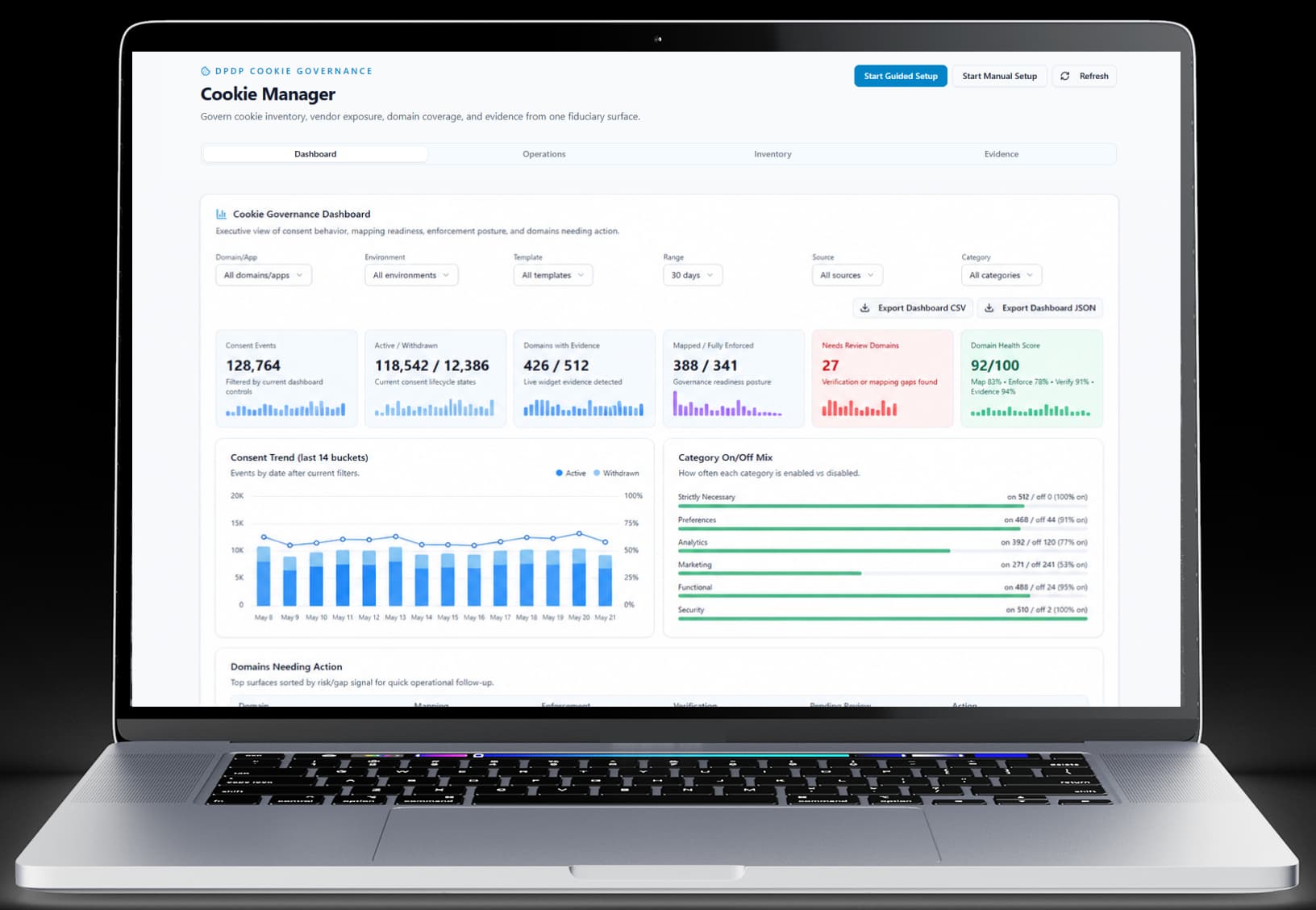
Surface compliance flags and focus review where attention is needed
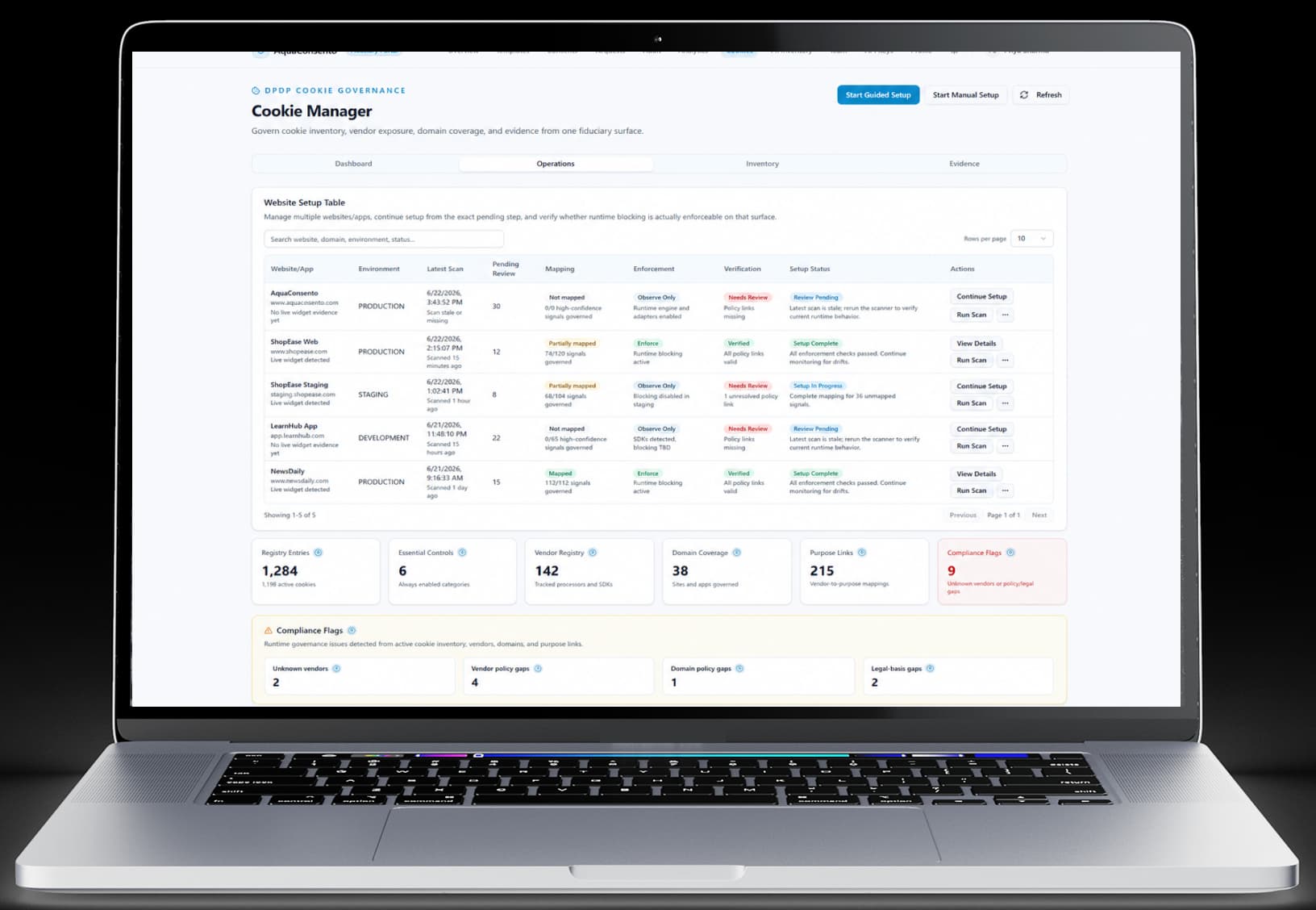
Review setup, enforcement and scan freshness across registered websites
Investigate findings across the review queue and cookie inventory
The website’s consent interface and configured category choices.

From website scanning to consent records, manage the key parts of your cookie governance workflow in one place
Scan selected website pages to identify cookies and tracking scripts for review
Start with scanner led onboarding or register known vendors and tracking entries manually
Classify, ignore, or promote findings before adding them to your governed inventory
Organise registered entries by category, purpose, provider, website, and consent template context
Maintain vendor details, script domains, and recorded country and retention information
Manage registered websites, environments, ownership, and setup status from one workspace
Connect reviewed vendors to the purposes configured in your cookie consent templates
Review mapping, reported runtime enforcement, and verification status for each website
Review recorded choices with timestamps, consent identifiers, event sources, and visitor/session context
View consent activity, category choices, and websites requiring operational attention
Identify pending reviews, stale scans, and recorded vendor or domain policy gaps
Export inventory, mapping, and consent records in CSV, plus dashboard data in CSV or JSON
Choose the onboarding approach that matches your starting point.
Register your website, scan the selected pages for cookies and scripts, and review the findings before promoting them into your governed inventory.
Bring tracking entries, vendor details and website ownership into a structured inventory. Then connect reviewed vendors to the purposes configured in your cookie-consent template. Associate reviewed vendors with the relevant purposes in your template, such as product analytics, marketing or preference settings.
See how each registered entry is categorised and associated with its provider, purpose and website.
A deployed banner is only one part of the implementation. AquaConsento separates mapping, enforcement status and verification so your team can identify unfinished setup and investigate outstanding issues.
Whether the required vendor-to-purpose relationships have been configured.
The reported state of the configured runtime controls.
The available checks and outstanding verification issues.
When the website was last scanned and whether the result is stale.
Findings and setup items that still need attention.
Review category-level choices with the context needed to investigate a consent event. AquaConsento’s evidence view includes the timestamp, consent template, visitor/session identifier, consent ID, event source and recorded category decisions. Find relevant records by website, template, identifier or category, and review the source of each event.
Review the recorded choice together with its source and the relevant implementation context.
AquaConsento Cookie Manager is available as a standalone product and is integrated with the wider AquaConsento consent and privacy platform. Use it for website cookie governance, or discuss how it fits alongside Consent Management, Data Discovery and PII Inventory.
Manage website tracking entries, purpose mappings, implementation status and consent records.
Compare a banner-only setup with consent controls that connect user choice to tag execution and evidence.
Before AquaConsento
After AquaConsento
Without governed cookie consent
Consent-to-tag enforcement
Best-effort script blocking with gaps
Preference update propagation
Banner-only changes, weak downstream sync
Compliance evidence depth
Limited records for audit scenarios
AquaConsento cookie consent model
Consent-to-tag enforcement
Purpose-linked gating and event verification
Preference update propagation
Tracked updates across connected systems
Compliance evidence depth
Versioned records + withdrawal traceability