01 · Start hereData Element
Open the element you want to investigate.
Know your data elements. See the consent records connected to them.
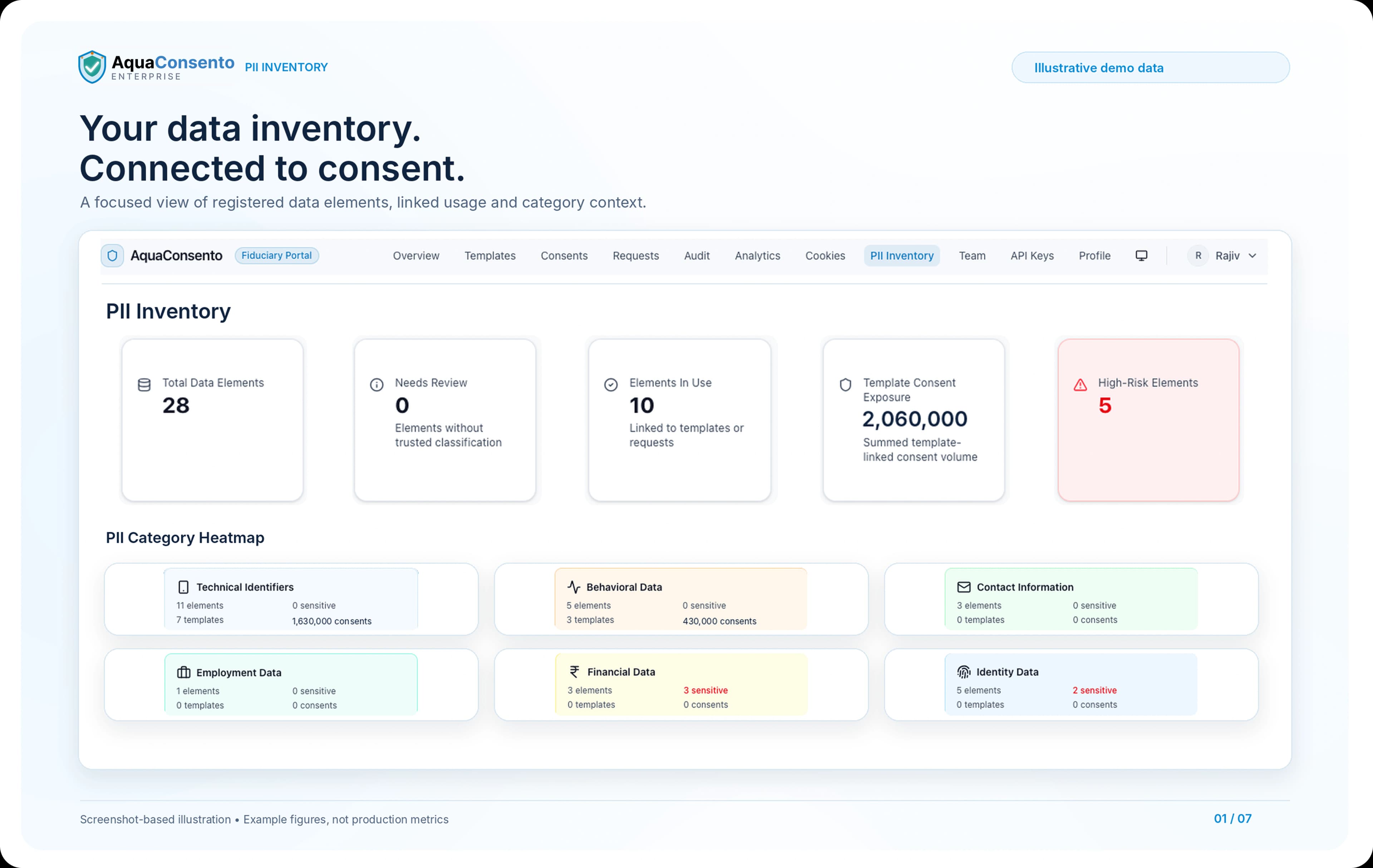
AquaConsento PII Inventory brings your personal-data elements, classifications and internal risk indicators into one workspace. Review elements such as contact details, financial information and digital identifiers, then explore the consent templates, purposes and linked records that reference them within AquaConsento.
Data Element RegistryClassification ReviewLinked Consent Records
Select a personal-data element and investigate how it appears in your AquaConsento consent environment.
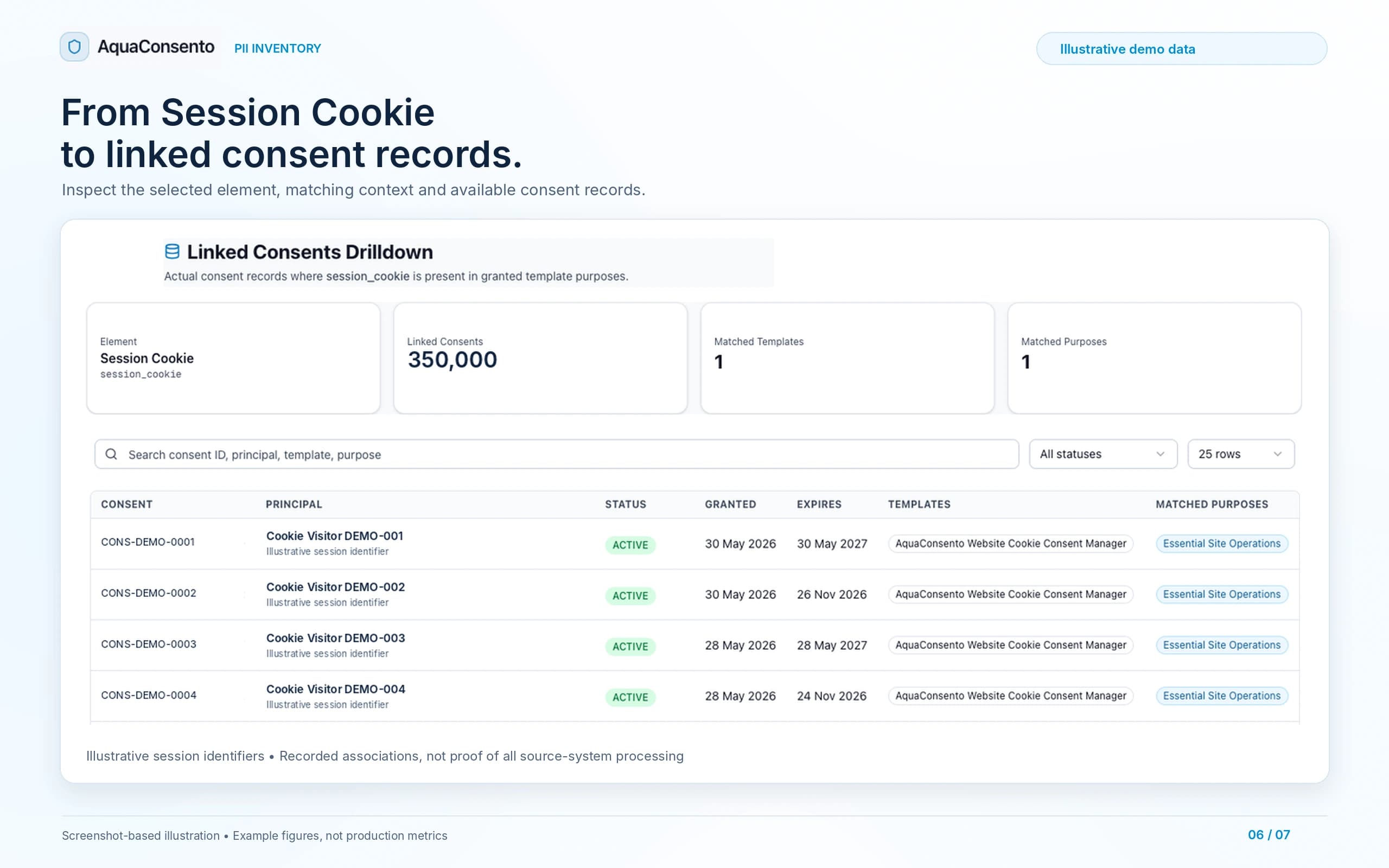
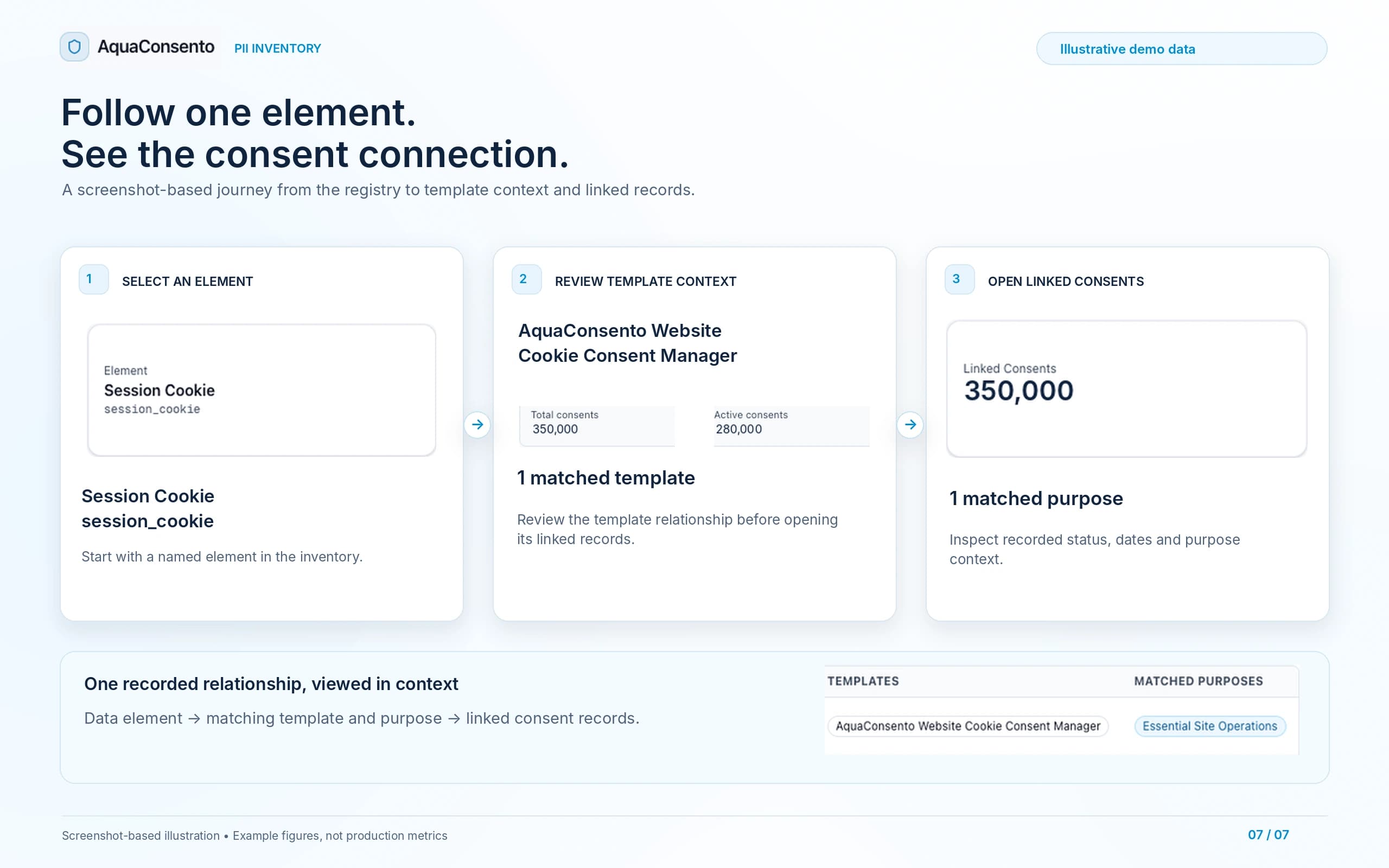
The Linked Consents view connects the selected element with matching templates, purposes and available consent records—so your team can inspect the relationship rather than rely on a summary count.
Open the element you want to investigate.
See the recorded relationship around it.
Inspect the available consent context.
See the consent identifier, principal or session context, recorded status, granted date, expiry, template and matched purpose. Search by consent ID, principal, template or purpose, and filter the records by status.
Understand not just what the element is, but how it participates in your recorded consent workflows.
Review personal-data definitions, classification context, platform usage and linked consent information from one inventory.
View registered personal-data elements with their names, identifiers, categories and associated usage.
Explore category-level summaries of elements, template associations and linked consent volumes.
Inspect the recorded category, PII type, classification and classification-source label.
Identify elements needing review and update classifications through the available review controls.
Use element-level risk labels and scores to prioritise further investigation.
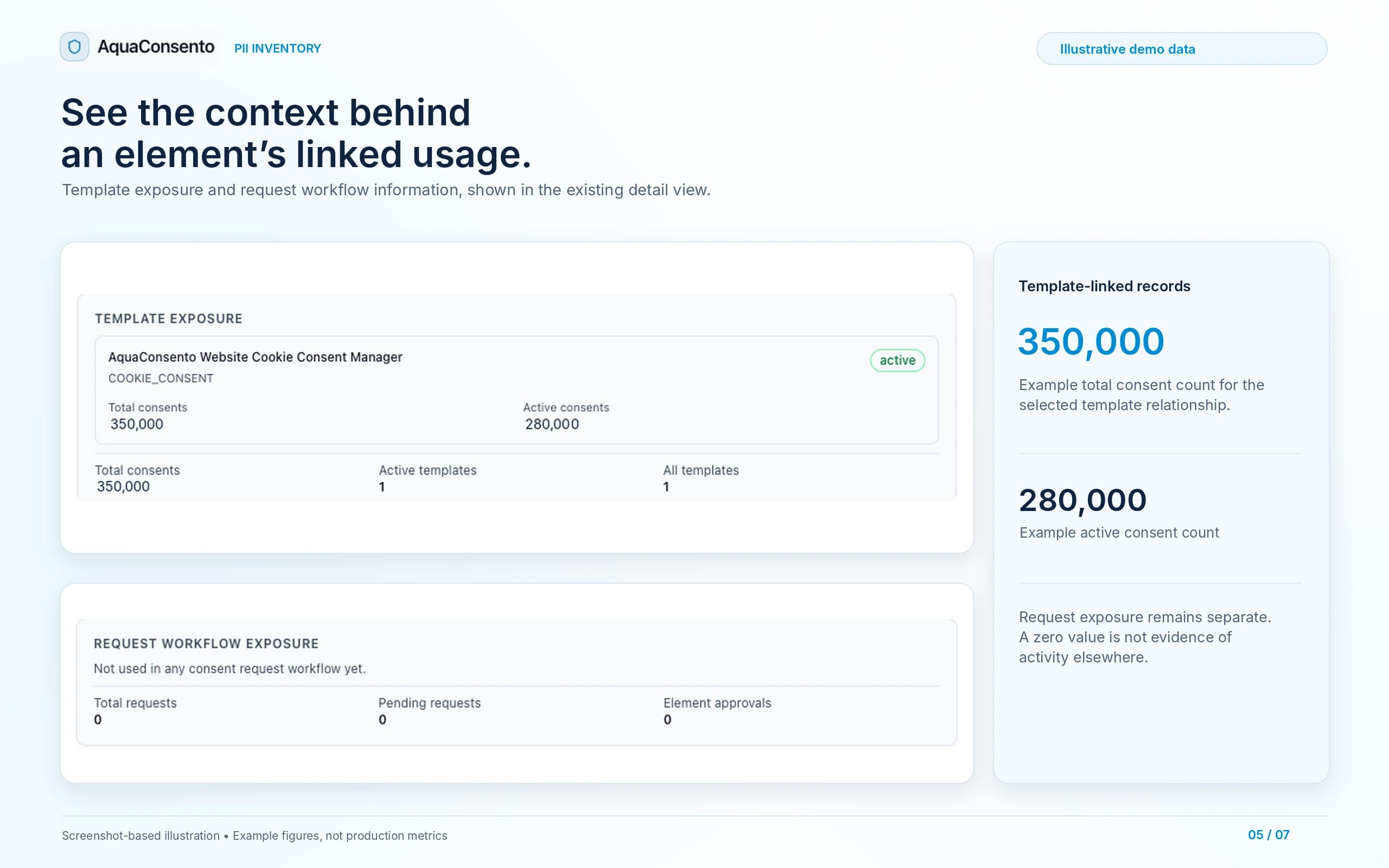
See which registered elements are linked to templates or request workflows in AquaConsento.
Review associated templates and their displayed total and active consent counts.
Inspect request-related usage, including total requests, pending requests and element approvals.
Open, search and filter the available consent records associated with a selected element.
Review the matched purposes, recorded consent status, granted date and expiry.
View the retention guidance recorded alongside the data-element configuration.
Inspect optional validation-pattern information and the element’s configured consent setting.
Bring recognised data elements into a shared register, from names and contact information to financial details, advertising identifiers and cookies.
Filter the inventory using its category and classification controls. Open an element to inspect its PII type, recorded classification source, retention guidance and related settings.
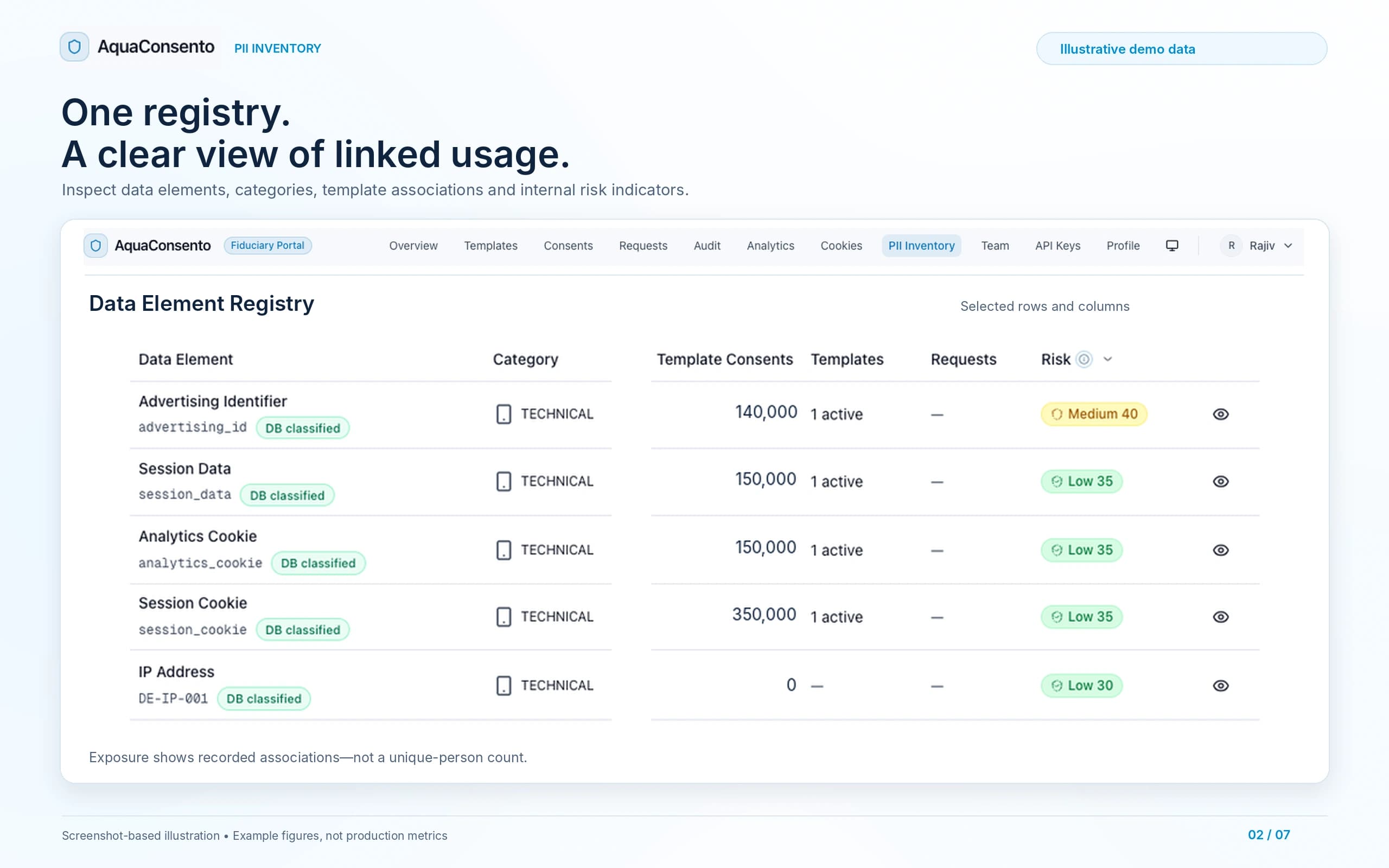
Use category summaries, review indicators and linked usage to decide which elements deserve a closer look.
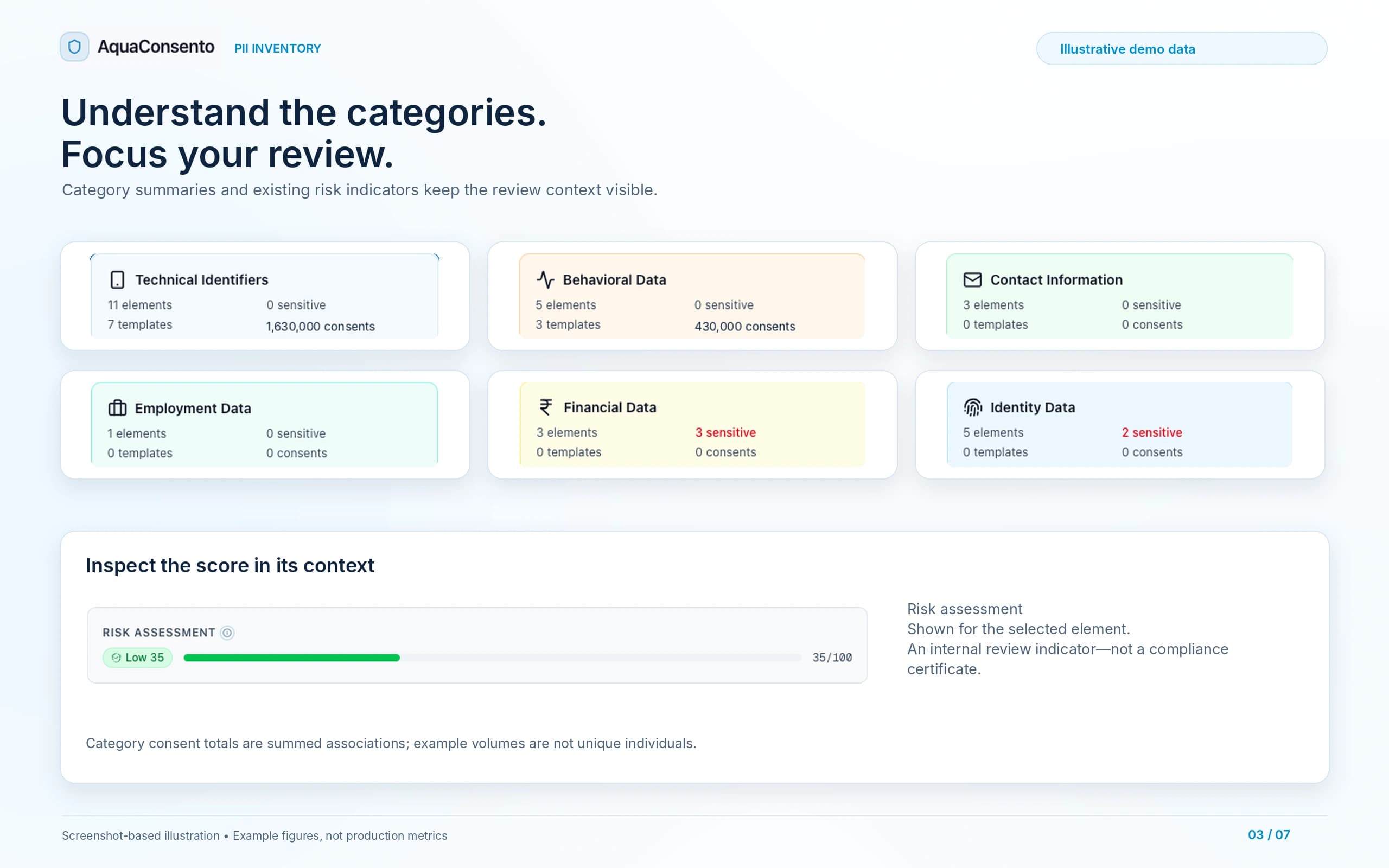
Review technical identifiers, behavioural data, contact information, employment data, financial data and identity data in the category heatmap.
Open an element’s internal risk assessment and review its context. Risk indicators support prioritisation; they do not replace the underlying investigation.
See which elements are referenced by templates or request workflows, then inspect the associated counts and records.
PII Inventory works with AquaConsento Data Discovery, Consent Management and Cookie Manager to connect personal-data definitions with the surrounding privacy programme.
Identify candidate personal data in supported sources.
Review recognised elements, classifications, risk indicators and recorded usage.
Connect elements with templates, matched purposes and available consent records.
Bring website-related elements into the same inventory and consent context through configured cookie-consent templates.
PII Inventory is an integrated AquaConsento capability, not a separate standalone purchase. Discuss the modules, connections and implementation scope appropriate to your organisation.
Describe your current inventory approach, key systems and consent use case. Our team will demonstrate the element-to-consent workflow and discuss the proposed module scope, deployment requirements and commercial structure.
Clarify the scope of the inventory, its connected modules, and what the recorded relationships do—and do not—show.
A personal data inventory is a structured record of personal data and its governance context. AquaConsento’s module organises data elements and connects them with classification, internal risk indicators, template usage and available consent records. The registry is organised around data elements—not a master list of every customer record in your source systems.
Explore the inventory dashboard, open a representative data element and follow its connection to templates, purposes and linked consent records.
Discuss how PII Inventory fits into your organisation’s AquaConsento implementation.